
Power and battery
Powering on and off
- Power on: press the power button. With the lid closed, it goes back to sleep.
- Power off: a short press of the power button, or Settings > SYSTEM > POWER OFF. A shutdown screen stays until the device is off, and a game in progress resumes at the next start.
- Reboot: Settings > SYSTEM > REBOOT.
- A hung device: hold the power button until it turns off.
Charging
Plugging in the USB cable starts the device, to a charging screen with the battery level. The screen turns dark after 10 seconds, and any button lights it again. Press power to go on to the menus. Unplugging the cable while on the charging screen powers off again.
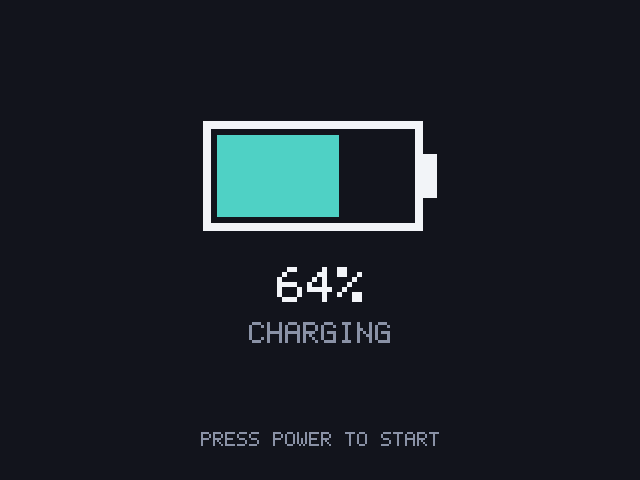
Settings > BATTERY > CHARGE TO stops charging early, which is kinder to the battery when the device lives on a cable: FULL, ABOUT 85% or ABOUT 70%.
Sleep
Close the lid to sleep. The screen and sound turn off, a game saves its place, Wi-Fi disconnects, and the USB connection stays up. Opening the lid wakes the device where it was.
Power-off after sleep. After 2 hours of sleep on battery, the device powers off by itself so sleep doesn't drain the battery; the game resumes at the next start. Settings > SYSTEM > POWER OFF AFTER SLEEP sets 1, 2, 4 or 8 HOURS, or NEVER. On USB power it keeps sleeping.
Sleep when idle. Settings > SYSTEM > SLEEP WHEN IDLE puts the device to sleep after 2, 5, 10 or 30 minutes without a press in the menus (never in a game). The power button wakes it. Off by default.
Low battery
At Settings > BATTERY > LOW BATTERY AT (15% by default; 5, 10, 15 or 20%) the battery level turns red in the corner, and a game shows it in red in the top-left corner. At 3% the game saves, BATTERY EMPTY shows, and the device powers off. The game resumes after charging.
The battery screens
Settings > BATTERY keeps a log of the battery level and works out from it what the battery itself can't report.
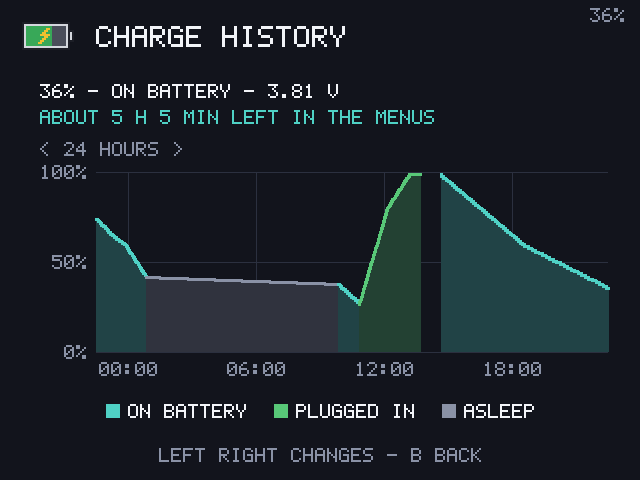
- CHARGE HISTORY: the level over the last 24 hours or 7 days (Left and Right), on battery, plugged in and asleep, with the time left or the time to full.
- HEALTH AND USE: the measured capacity against the rated 3300 mAh, charge cycles, and how fast each console, the menus and sleep use the battery, with how long a full charge lasts at that rate.
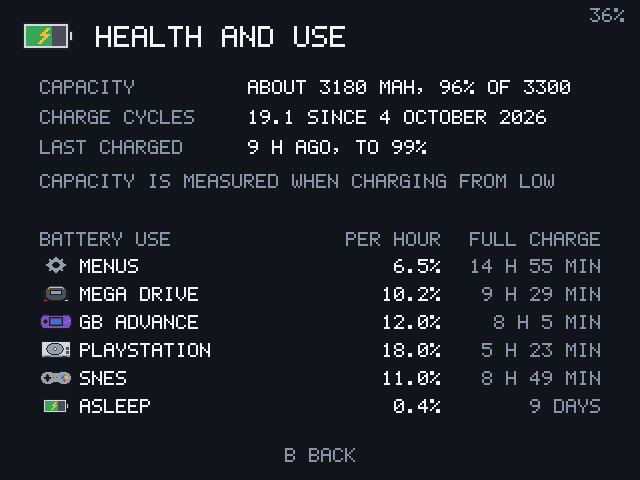
Estimates need some history first: half an hour and 2% of use for drain rates, and a long charge for the capacity. The capacity is an estimate and assumes the charger delivers its set current.
- SHOW IN CORNER: PERCENT, TIME LEFT (such as
80% 4H05), WHEN LOW or HIDDEN. - CHARGED NOTICE: a BATTERY CHARGED sign when charging finishes.
Performance
Settings > ADVANCED > PERFORMANCE sets the CPU:
| Choice | CPU | Use it for |
|---|---|---|
| BATTERY | up to 1104 MHz | 8 and 16-bit consoles, longer play |
| BALANCED (default) | up to 1512 MHz, as needed | Everything |
| PERFORMANCE | 1512 MHz always | Demanding games that stutter, such as the Arduboy |