
Playing games
Choose a game and press A. It starts where you left it last time.
Resume
Tetsu OS keeps your place without you having to save:
- Quitting from the menu keeps your place (KEEP PLACE). Choose START OVER on QUIT to begin from the game's own save next time instead, as a real console would after power-off. Your save file and save states are kept either way.
- Closing the lid saves your place before sleeping.
- Powering off during a game, or an empty battery, brings the game back at the next start. RESUMING shows for a moment, and B cancels it.
- A crash or power cut after the game saved in-game starts from that newer save, not an older resume point.
The game's own save (its battery memory) is written to saves every two seconds when it changes, as on the original hardware.
Doom and Cave Story don't resume: save in the game.
The in-game menu
Tap Menu to pause.
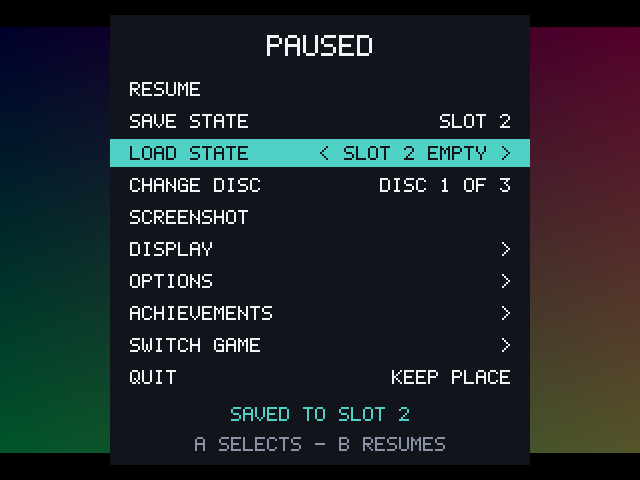
| Item | What it does |
|---|---|
| RESUME | Back to the game. B and Menu do the same |
| SAVE STATE / LOAD STATE | Eight slots per game. Left and Right choose the slot |
| CHANGE DISC | PlayStation games with several discs |
| SCREENSHOT | Save the paused picture as a PNG |
| DISPLAY | Brightness, scaling, screen effect, LCD ghosting and border |
| OPTIONS | Controls, core options and cheats |
| ACHIEVEMENTS | Your progress, and where notices show for this game |
| SWITCH GAME | Go to another recent game |
| QUIT | KEEP PLACE or START OVER |
Display
The DISPLAY list changes how the picture looks. Changes are kept per console, so a CRT look for the NES doesn't change the Game Boy. Settings > IN GAME > DISPLAY sets the default for consoles you haven't changed, and USE FOR ALL CONSOLES resets them all to it.
| Setting | Choices |
|---|---|
| SCALING | FIT fills the screen with sharp, even pixels; INTEGER uses whole multiples only |
| SCREEN EFFECT | NONE, CRT (scanlines) or LCD (a soft pixel grid) |
| LCD GHOSTING | Game Boy family: OFF, SMART (only flickering pixels) or FULL |
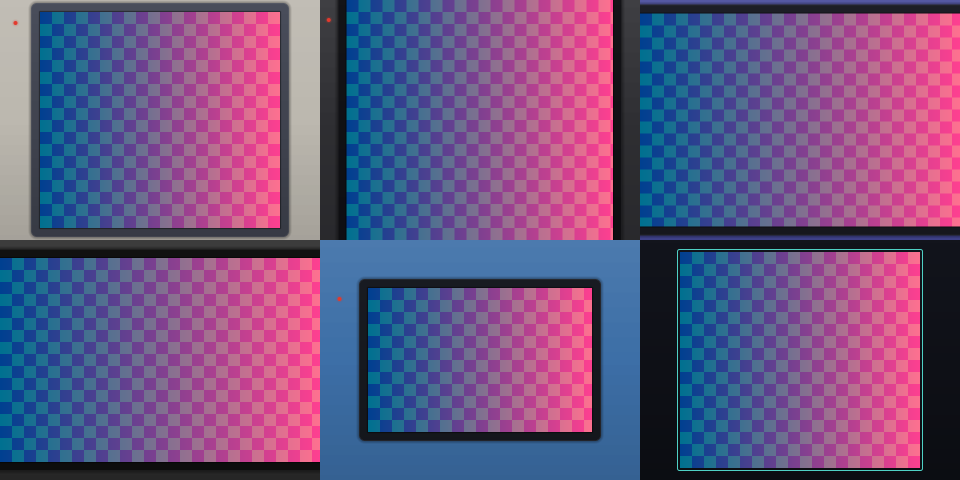
| BORDER | AUTO, OFF, BEZEL or THEME |
Borders fill the screen around small pictures. BEZEL draws the body of the handheld around its screen, in a colour that console came in; THEME uses your theme's colours. AUTO gives handhelds a bezel and other consoles black.
Fast-forward
Hold R2 to run the game up to about five times faster. Sound keeps going, but choppy. Fast-forward is off in hardcore mode, and for Doom, which uses R2 itself.
Switching games
SWITCH GAME in the menu, or Menu + Select during play, lists your other recent games. Choosing one saves the current game as quitting would and starts the other where it was left. Switch back the same way.
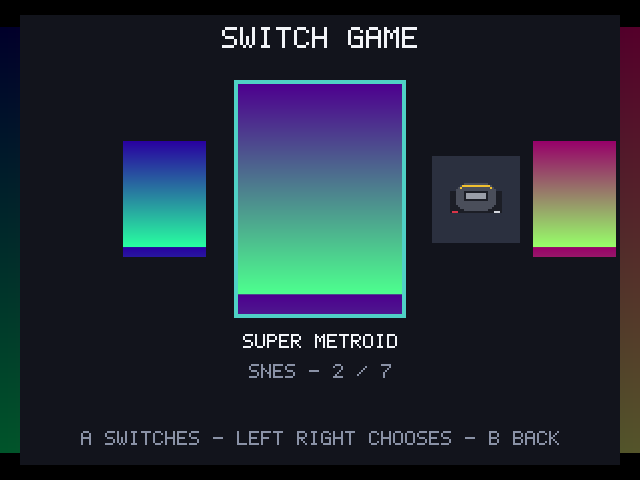
Settings > IN GAME > GAME SWITCHER chooses LIST or COVERS.
Remapping and turbo
OPTIONS > CONTROLS has a row for each of A, B, X, Y, L1, R1, L2, R2, Select and Start.
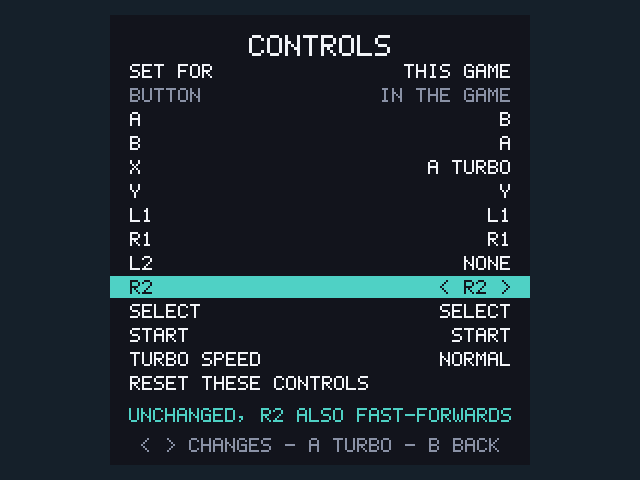
- Left and Right choose what the button presses in the game: another button, a D-pad direction or NONE.
- A turns turbo on or off for that button. TURBO SPEED is FAST, NORMAL or SLOW (about 15, 10 or 6 presses a second).
- SET FOR chooses THIS CONSOLE or THIS GAME. A game's own layout wins over its console's.
- RESET THESE CONTROLS goes back to the default.
Changing R2 gives it to the game, which turns fast-forward off for that layout.
Core options
Each emulator (core) has its own settings, such as the NES palette, the sprite limit or the Game Boy model. OPTIONS > CORE OPTIONS lists them with the core's own names and help text, in English. Like controls, they are SET FOR a console or a single game. Some only apply after the game starts again, and the page says so.
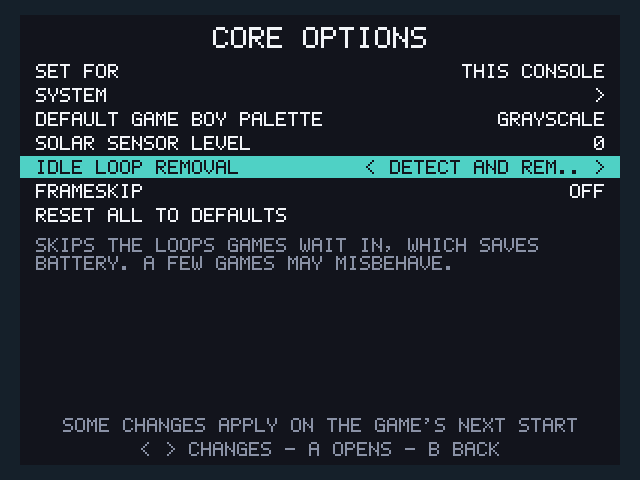
Settings > CORES sets the same options per console outside a game.
Cheats
OPTIONS > CHEATS lists the codes for the game, each ON or OFF. DOWNLOAD CHEATS fetches the game's cheat file over Wi-Fi from the libretro database. You can also copy RetroArch .cht files to cheats/<console>/ on TETSU-DATA, such as cheats/gb/.
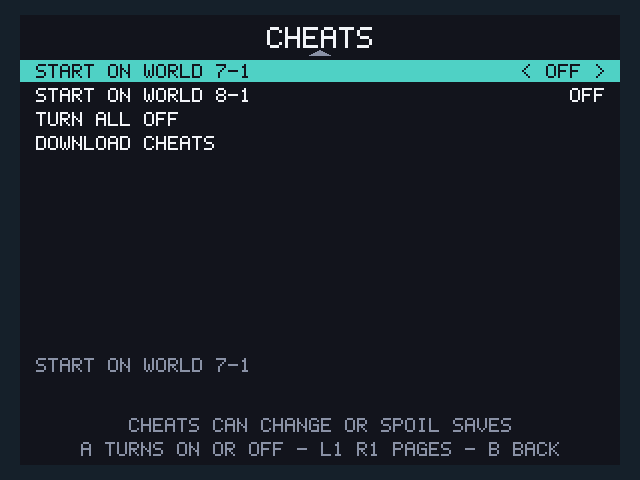
Codes are applied by the emulator, in whatever formats it reads: Game Genie, Pro Action Replay, GameShark and others. CHEATS isn't offered for the Lynx, Neo Geo Pocket and Tamagotchi, whose emulators ignore codes, or in hardcore mode.
Vibration
Games that rumble make the device vibrate, on consoles whose emulator supports it. Settings > IN GAME > VIBRATION sets the strength or turns it off. PlayStation games don't vibrate yet.
Notices during play
- A battery level in red in the top-left corner means the battery is low. At 3% the game saves and the device powers off. See Power and battery.
- BATTERY CHARGED shows when charging finishes.
- RetroAchievements unlocks show at the bottom by default.