Adding games
Games go in the roms folder on the card's TETSU-DATA partition, in any folders you like, or none. The file extension decides the console, so a tile appears on the home screen for every console that has games. See Supported systems for the extensions.
Tetsu OS does not come with games other than Freedoom and Cave Story. Use games you own or that are free to share, such as homebrew.
There are four ways to get games onto the device.
USB STORAGE
Connect the device to a computer with the USB-C cable and open Settings > DATA > USB STORAGE. The computer then sees TETSU-DATA as a USB drive, on Windows, macOS and Linux, with no software needed. A card in TF2 shows as a second drive.
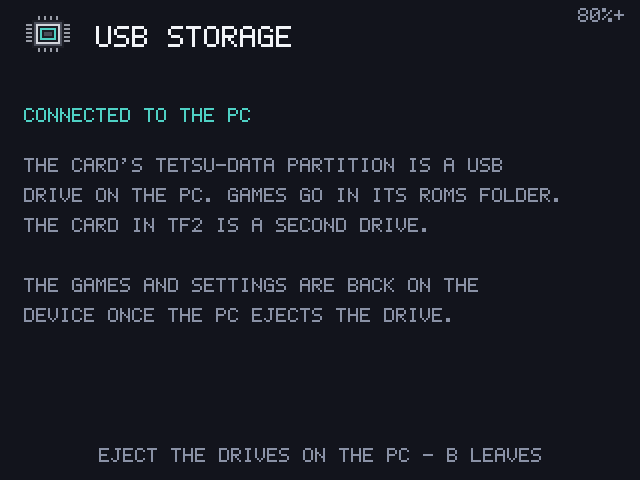
Copy games into roms, then eject the drive on the computer. The device leaves the screen once every drive is ejected, checks the card and reads the games again. B also leaves, and asks again while the computer still has the drive.
While USB STORAGE is open the device doesn't sleep: closing the lid only turns the screen off.
WI-FI TRANSFER
Settings > DATA > WI-FI TRANSFER starts a web page you can open from a phone or computer on the same network. The screen shows the address, a six-digit code and a QR code that logs you in directly.
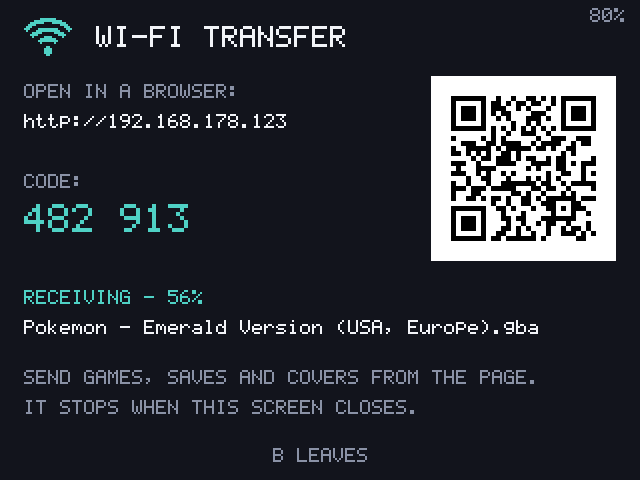
On the page you can:
- Upload games. Each goes to the folder of its console. A ZIP waits until the game inside names its console. A PlayStation
.cuegoes together with its.binfiles. - Add or replace a cover for any game, from any picture the browser can open.
- Upload or download a save, and download screenshots.
- Delete a game with its saves.
- Download a backup of your saves and settings as one ZIP, or restore one. See Save backup.
- With a card in TF2, choose which card to send to.
The page only runs while its screen is open, and a new code is made each time. Leave with B, which asks first while an upload is running. The connection is plain HTTP, so use it on networks you trust.
A card reader
Put the card in a computer and copy games into roms on the TETSU-DATA drive. Eject it before taking it out.
A second card in TF2
A card in the TF2 slot adds the games in its own roms folder to the lists. It can be FAT32 or exFAT, as most cards come, and needs nothing from Tetsu OS. It can go in and out while the device runs: a sign at the top says how many games it has.
Saves, covers and play time always stay on TETSU-DATA, named after the game, so taking the card out loses nothing, and a game moved between the cards keeps its saves.
Covers (box art)
Settings > BOX ART > DOWNLOAD MISSING COVERS fetches covers over Wi-Fi from the libretro-thumbnails collections, matching each game by name. DOWNLOAD ALL COVERS AGAIN replaces them, and DELETE ALL COVERS removes them. A cover can also be sent from the WI-FI TRANSFER page.
A game without a cover shows its newest screenshot instead, unless SCREENSHOTS AS COVERS is off.
Kinds of games
ZIP files
Cartridge games can stay zipped: a .zip lists as a game of the console its file inside belongs to, named after the ZIP. Saves are named after the game, so zipping a game later keeps its saves. PlayStation games and games over 128 MiB unpacked can't be zipped.
PlayStation discs
Put the .cue with its .bin files anywhere in roms; the list shows only the .cue. .chd and .pbp work too. No BIOS file is needed.
Multi-disc games group by themselves when the disc names differ only by a disc number, such as (Disc 1) and (Disc 2), even in different folders. You can also write an .m3u file listing the discs, one per line. All discs share one memory card. Change discs from the in-game menu's CHANGE DISC.
Mega Drive .bin files
Rename Mega Drive .bin files to .md. The launcher picks the console by extension, and .bin belongs to PlayStation discs.
Doom and Cave Story
Freedoom Phase 1 and Phase 2 and Cave Story come with the system and are copied to roms on the first start. Delete them like any game, and they stay deleted.
- Doom: put your own
.wadfiles (such asdoom.wadordoom2.wad) inroms, and they show with their proper names. Doom saves from its own menu. - Cave Story saves at its save points.
Neither has save states or resume, so save in the game before quitting.
Tamagotchi
Name the ROM tama.b. The pet's whole state is saved once a minute and when you leave, and it pauses while the game is off.
Hiding a game
To keep a game off every list without deleting it, open its details with Y and choose HIDE GAME. Settings > DATA > HIDDEN GAMES shows it again.